Minor improvements
A smaller improvement.
- Data export: the data view export now includes the participant's phone number, so contact details come through alongside your exported results.
The latest improvements to Boom.
A smaller improvement.

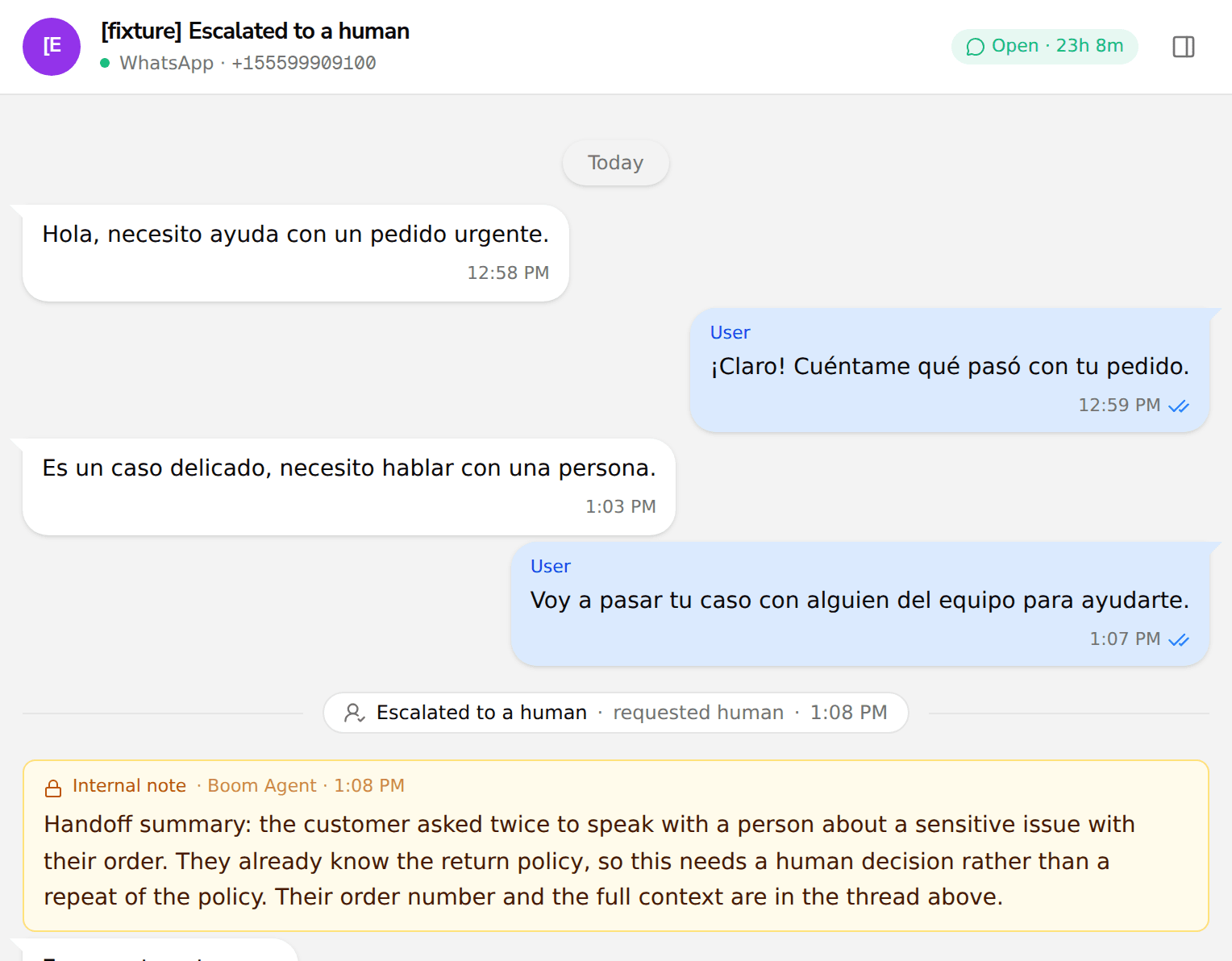
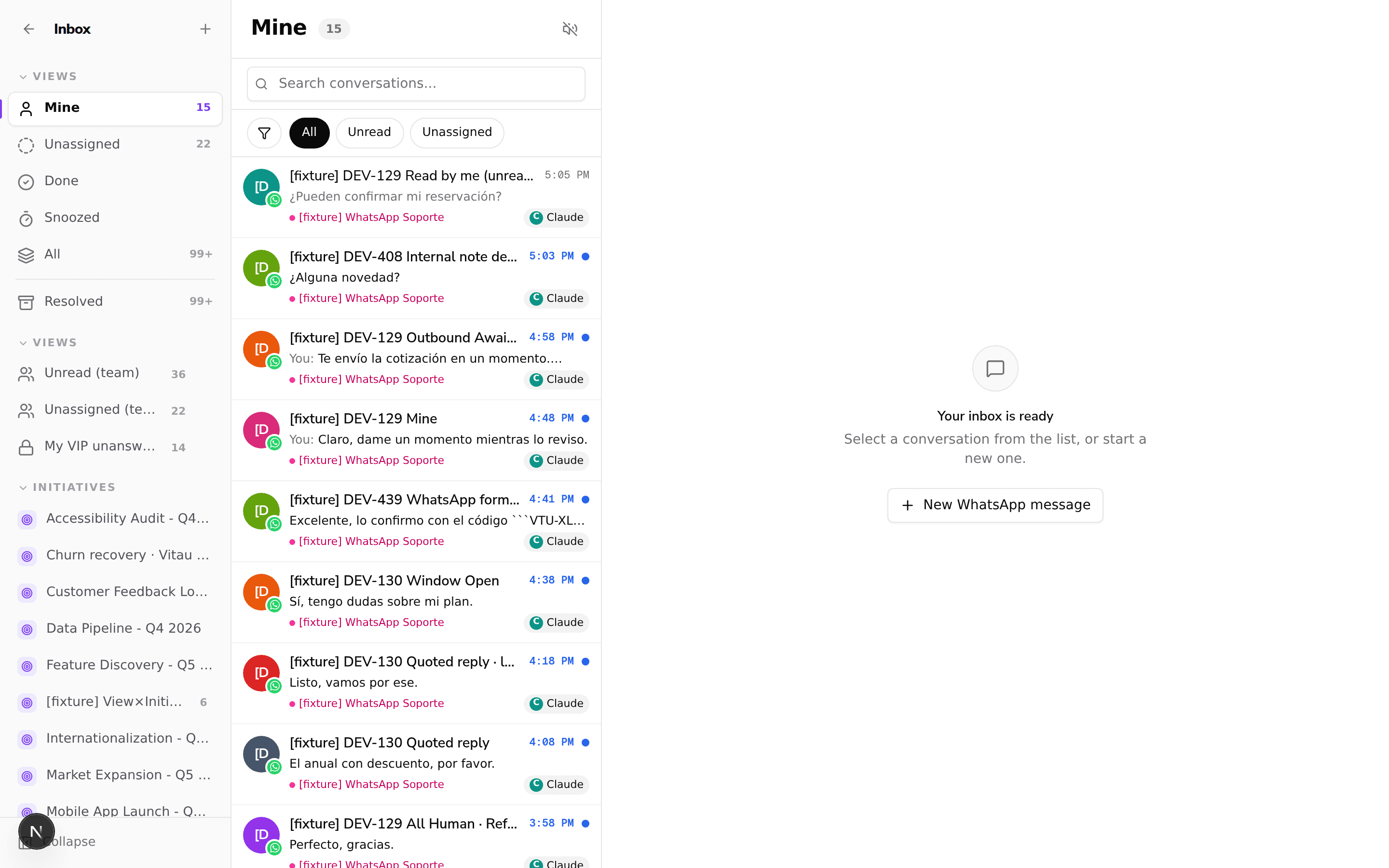
When the AI agent escalates a conversation to a person, the inbox now shows an internal note summarizing the handoff right in the thread. Your team can see that the escalation happened and why, without digging through other tools.
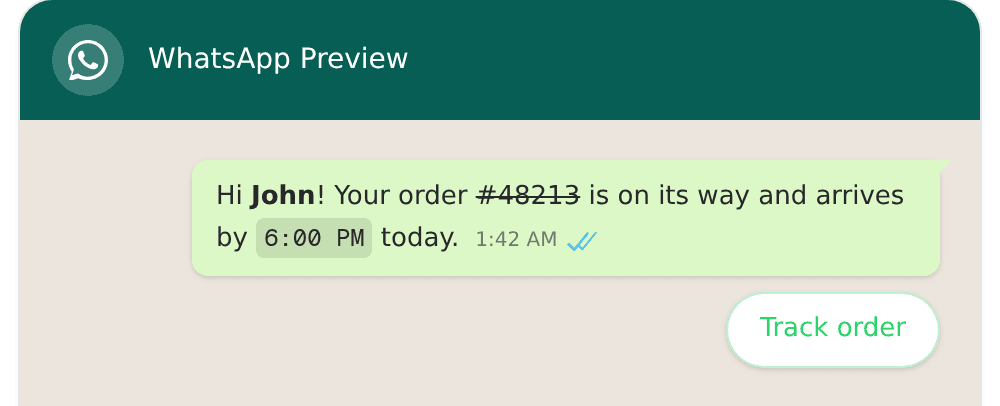
Your messages can now pull data from related records like orders and fulfillments, so a WhatsApp message can include the tracking number, order status, or shipping details directly. Before, a journey could filter on that data but not print it, which left blanks in the message; now the value resolves across the full path from contact to order to fulfillment.
Segments can now filter on the absence of a relationship, not only its presence. Build audiences like people with no completed checkout or no order in the last month, which makes abandoned cart and win back campaigns straightforward, and a negated condition can now carry its own filters for finer targeting.
A few smaller improvements.
Boom now ingests Shopify fulfillments and order transactions as first-class data. You can build segments and trigger journeys on what actually happened to an order: message a customer when their order ships, chase an expired or failed payment, or follow up after a refund. It works on your existing Shopify connection with no new permissions, and covers your stores right away.

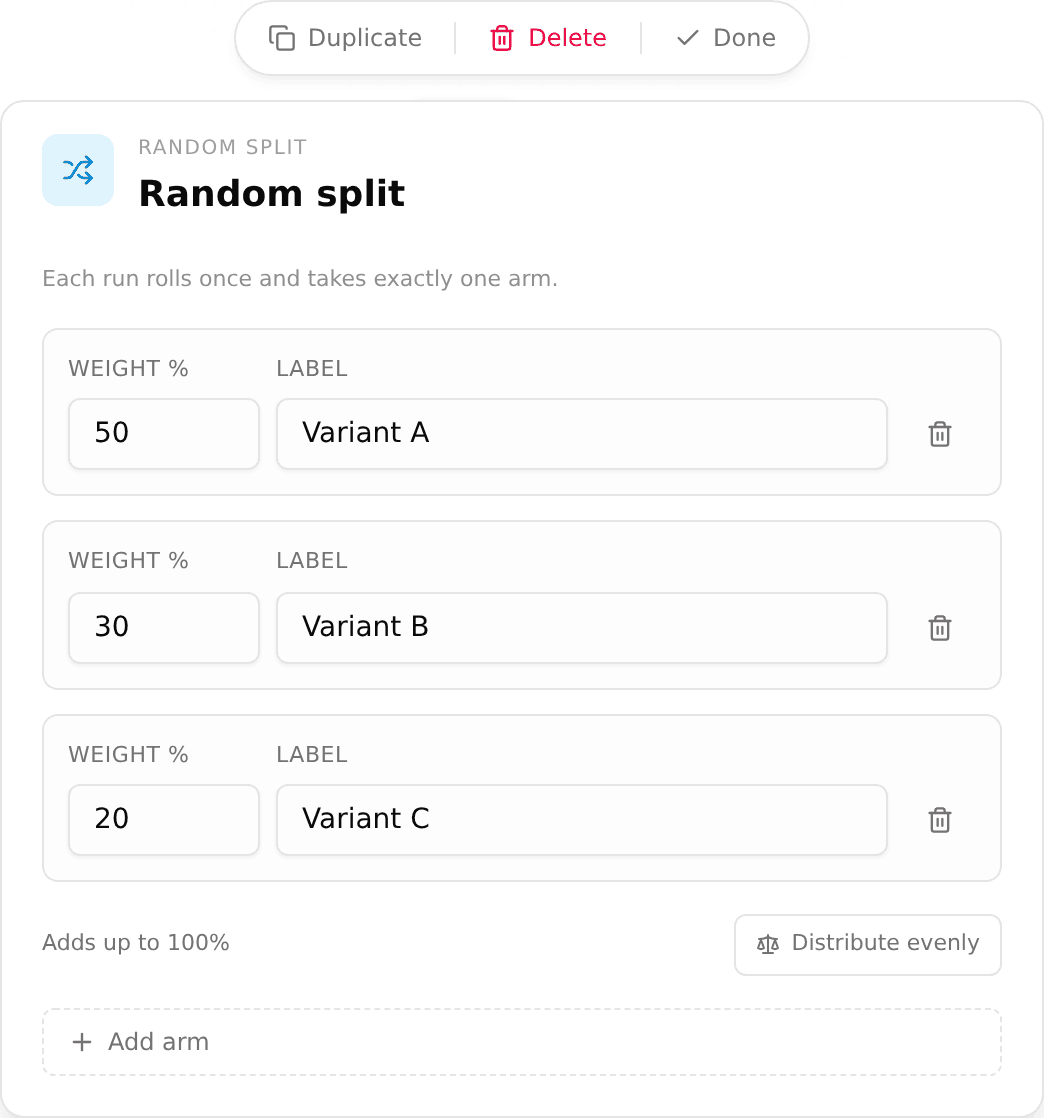
The new Random Split node lets you A/B test inside a single journey. Add it to the canvas, give each branch a share of your audience, and send different openers, delays, or agent modes to each group without publishing separate journeys or splitting your list by hand. Every contact is assigned once and stays on their branch even if a step retries, so the comparison stays clean. Per-branch results are coming next.
Leaving the journey builder with unsaved edits now stops to ask before anything is lost, with a clear Save and leave or Keep editing. A stray click to the sidebar or a closed tab no longer discards a journey you were still working on.
A few smaller improvements.
The journey builder now supports undo and redo on the canvas. Press Ctrl+Z to step back and Ctrl+Y to step forward through your edits, so an accidental change or a deleted node is one keystroke away from being restored instead of rebuilt by hand.
A few smaller improvements.
The new Message Logs page lists every message with its delivery status and the reason a send failed, and lets you search by recipient, so you can tell why something did not arrive without asking engineering. Delivery status is more accurate too, because out of order provider callbacks no longer roll a delivered message back to an earlier state.
You can now subscribe to outbound webhooks and be notified when a journey run starts, when it ends (with the reason, such as a node failure, a cancellation or a timeout), and when an enrollment is rejected. Webhook URLs support environment variables and resolve their own credential per environment, and you can send a test ping without launching a journey.
You can now export a conversation as a PDF from the shared inbox. Pick the time range you want, and the export leaves out internal agent notes so the document only shows the customer-facing exchange. It is handy when you need a clean, shareable record of a conversation, for example to show a payment processor that an exchange actually took place.
The agent no longer asks a customer again for something they already told it. It now reads the answers captured earlier in the conversation, so replies pick up where the customer left off instead of repeating questions.
You can now stop, pause, and resume a running campaign directly. Stopping retires a campaign so it takes no new contacts, without having to publish a replacement. Pause holds a campaign and resume picks it back up later. In every case, conversations already in progress finish on their own. The controls are available in the builder, on the initiative, and through the API.
A few smaller improvements from today.

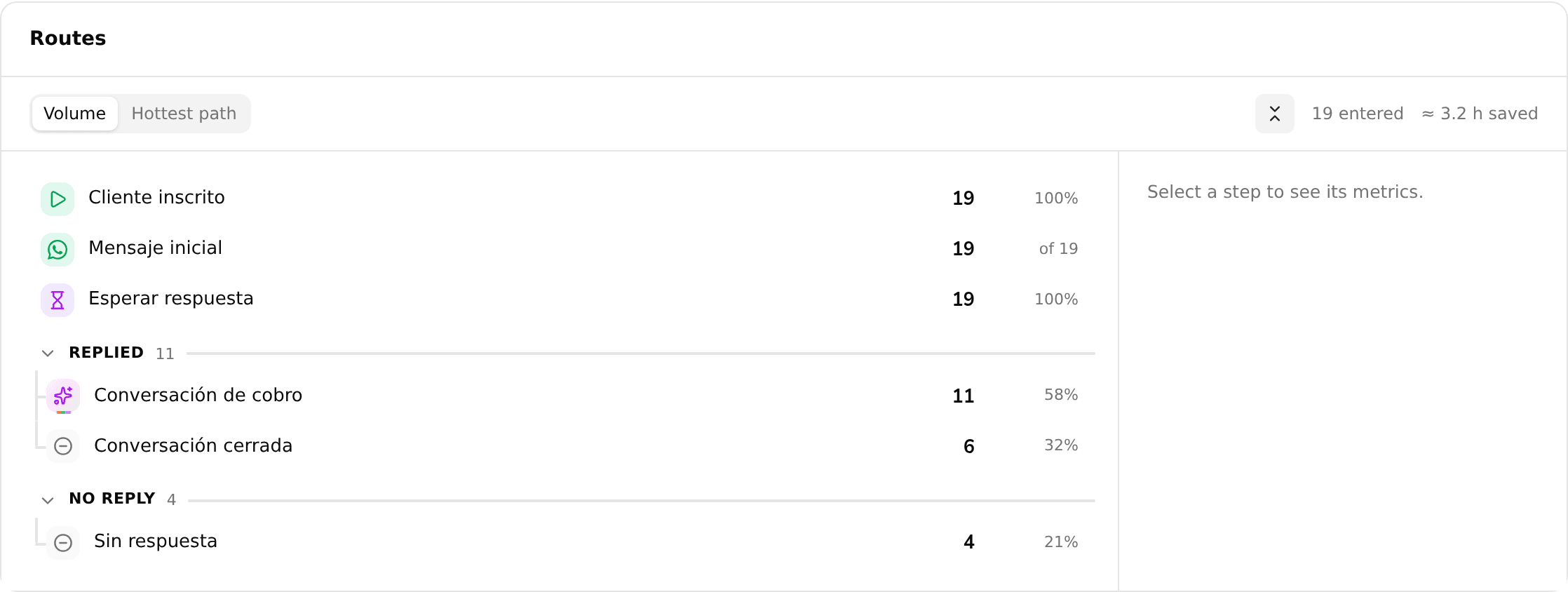
Routes is a new view inside Journey Analytics that reads a journey as an outline instead of a diagram: one row per step, with branches indented under the split that creates them, run counts on each branch, and an estimate of the operational time each step saved. It also counts how many AI messages were sent at each step, and shares the version and date filters you already have set on the dashboard.
Segments now support is between, a new date operator that matches a sliding window, like more than 90 and less than 97 days ago, instead of a fixed calendar range. Because the window moves forward every day, a segment built on it can enroll the same person again and again on a set cadence, for example re-surveying customers every 90 days instead of only once.
Build cart recovery journeys for your Shopify store. The products a shopper left in their cart and your checkout domain are now available as journey variables, so you can message customers about the exact items they abandoned and send them straight back to checkout.
A few smaller improvements from today.
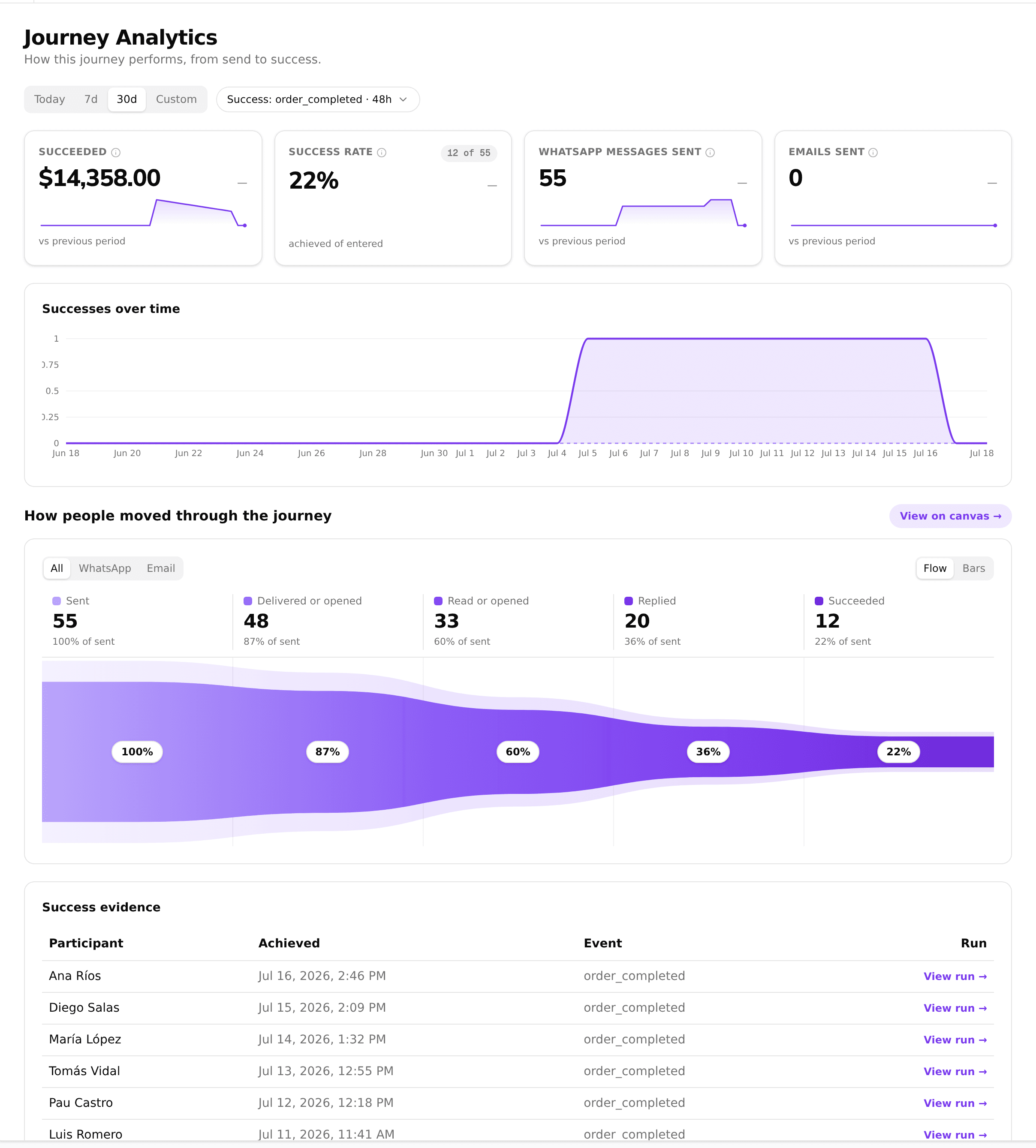
Measure a journey with more than one success metric, each with its own name and aggregation (count, sum, average, or max). Attribution now starts from the first outbound message so replies across WhatsApp and email are counted correctly, a value metric can pull its amount from a linked record such as an order total, and you can filter results by journey version to compare performance before and after a change.
A few smaller improvements from today.
Run one journey against different environments. Set per-environment values with {{env.*}} (for example a different baseUrl for staging and production), and have an HTTP Request node authenticate with the secret that matches the journey's pinned environment. Test a journey against staging, then switch it to production, without duplicating the journey or editing each node.
A few smaller fixes from today.
<br> and where list bullets could be dropped from a reply.A couple of smaller fixes from today.

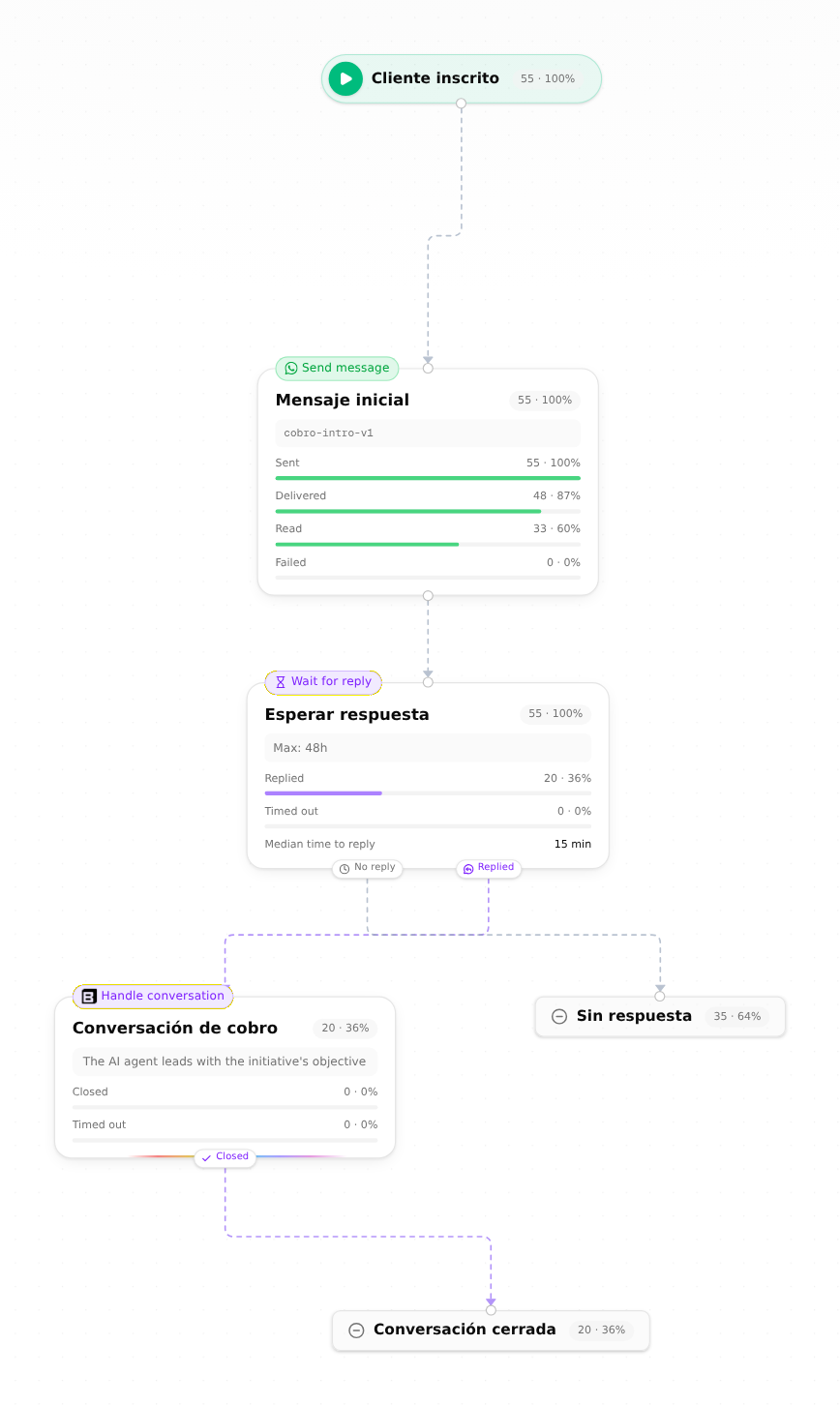
Every initiative now has a Journey Analytics dashboard that shows how a campaign is doing from end to end: a reach to reply funnel for each channel, KPI cards for messages sent and delivered, and a configurable success metric so you can define what counts as a win (a sale, a booking) and then see the success rate, the value generated, and the evidence behind each one. You can also open the journey map to read delivered, read, and reply counts on every node.

A few smaller improvements from today.
Journeys can now forward documents a customer sends over WhatsApp (IDs, payment receipts) to your own systems. The new engagement.documents variable resolves to secure, time-limited file links inside an HTTP Request node, so a journey can hand those files straight to your API. The agent also detects password-protected PDFs so they are handled cleanly.
The data your agent extracts from conversations can now be used as journey variables. Reference an extracted field inside a journey (in a condition, a message, or an HTTP request) and the value flows through automatically, so what a customer tells the agent can drive what happens next.
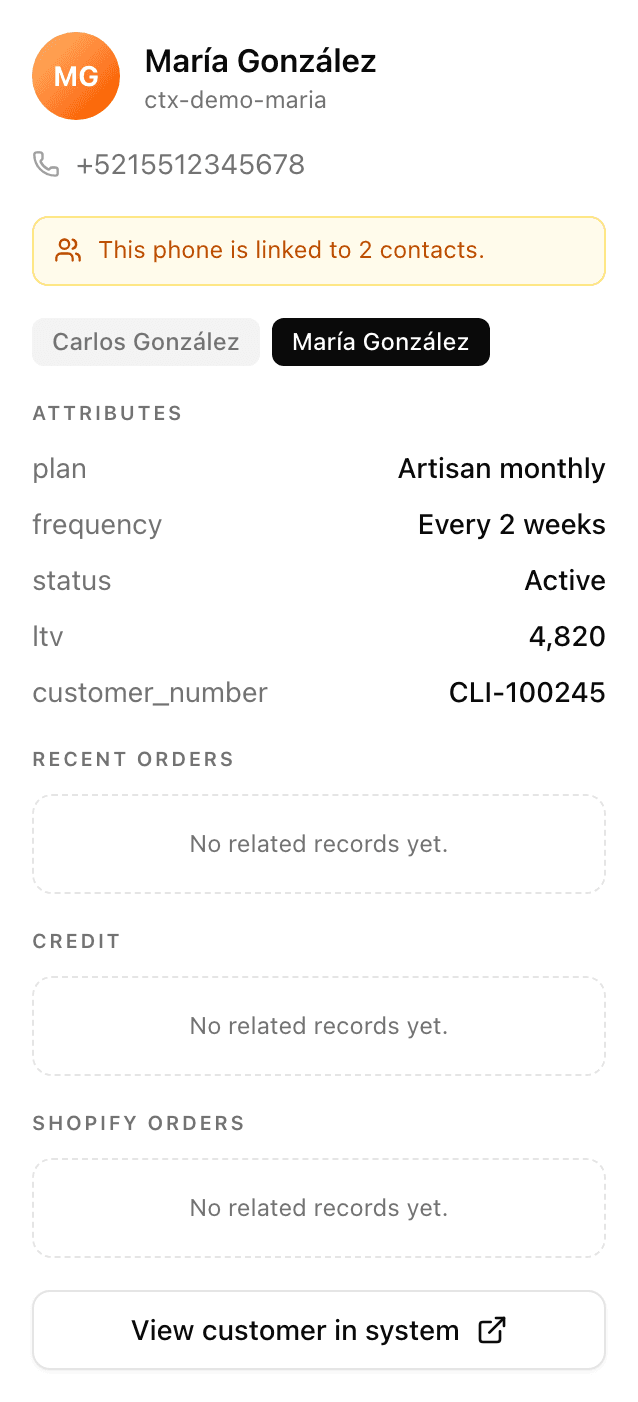
Operators can now add extra phone numbers and emails to a contact directly from the shared inbox, so a customer who writes in from a second number still resolves to the same person. Contact matching also got more reliable for numbers written with or without the extra Mexico country-code digit.
A few smaller improvements from today.
When a customer sends a PDF over WhatsApp, like a bank statement or a form, the Concierge now reads its text and can use it in the conversation and in your reports. If the file is password-protected, the agent recognizes that instead of treating it as unreadable, so it can ask for an unlocked copy.
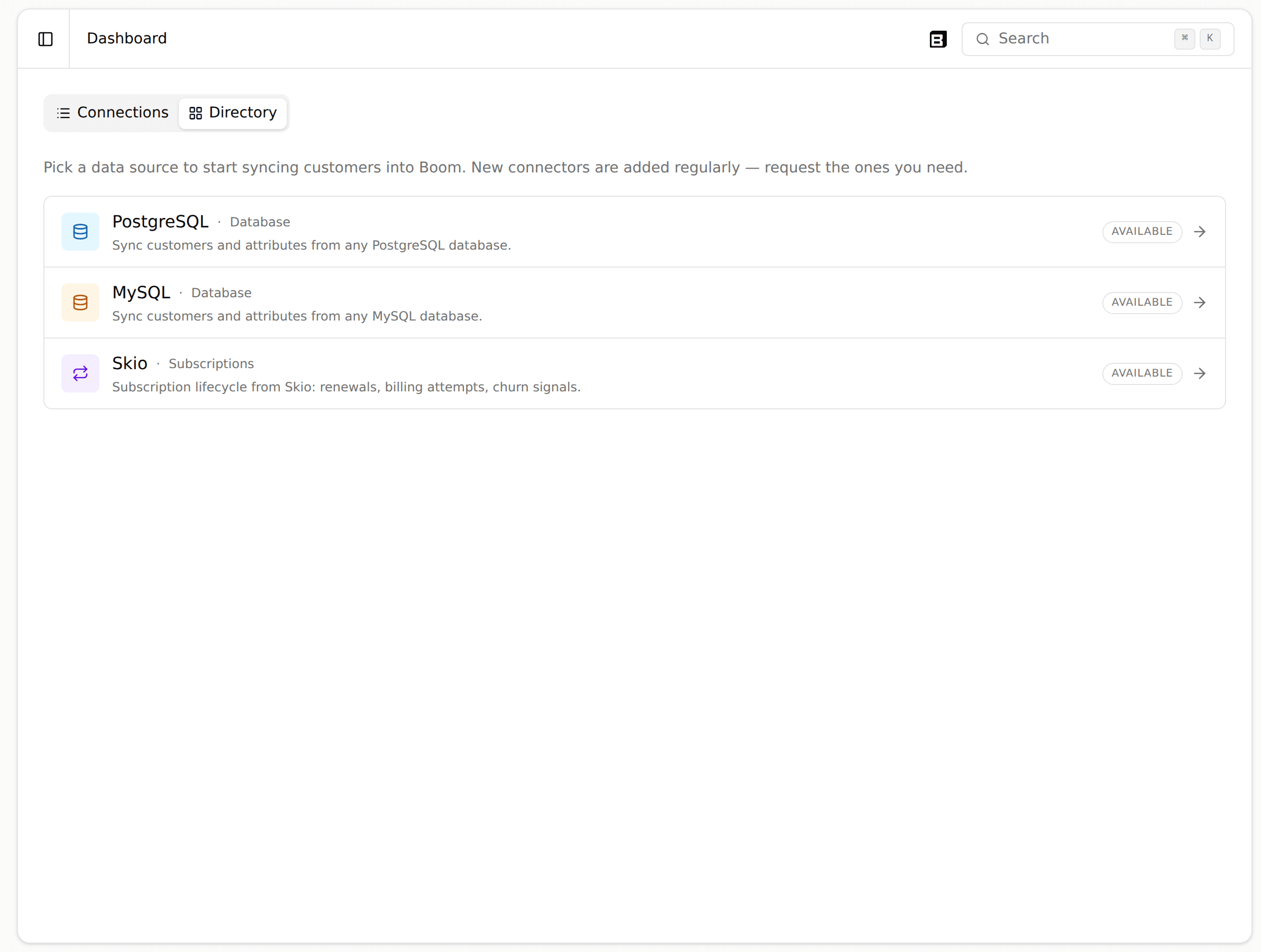
The Sources page now covers every integration, your database, Shopify, and Skio, in one place, so you can view and edit your own sync queries without looping in a Boom engineer.
A few smaller improvements from the last few days.
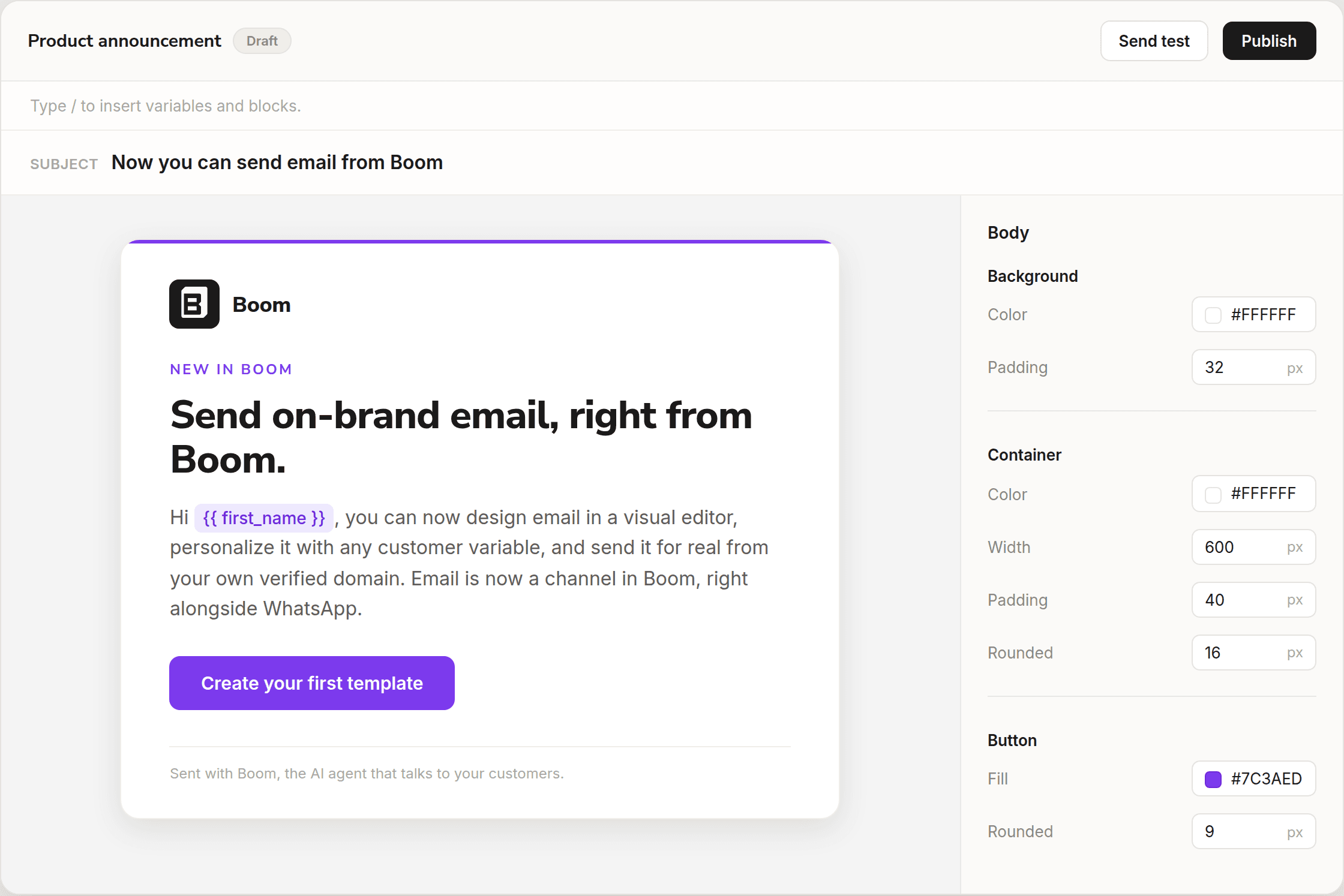
The new email builder lets you design branded emails visually: drag in logos, headings, text, buttons, images, dividers, and footers, insert {{variables}} inline, and manage your own image library. Emails render with email-safe HTML so they look right in every inbox.
The extraction Data View got more analytical: numeric fields now show total, median, and range, you can export the data to CSV, and you can click a quote to open the exact conversation it came from. It is easier to trust and act on what the agent extracted.
Segments can now update reactively: when a person's data or events change, their segment membership updates right away instead of waiting for a scheduled sweep. Journeys triggered by a segment enroll people the moment they qualify.
Journeys now include a Send Email node, so an automated flow can reach someone by email the same way it does over WhatsApp. Point the node at a published email template and it sends with each recipient's real data.
A few smaller improvements from the last few days.
From the contacts table you can now download your contacts as CSV or Excel, either the rows you have selected or every contact matching the current view and search. The export always includes every extraction field, even columns hidden by the column picker, so you get the complete data no matter how the table is arranged.
You can now author a complete journey without touching the builder canvas. The new write surface lets you create, edit, validate, and publish an entire journey (every node type and every connection) from the public API, MCP, and the in-app Sidekick. Build a flow by describing it in chat, fork a live journey into a draft, or manage your journeys straight from your own tools.
A few smaller improvements from today.

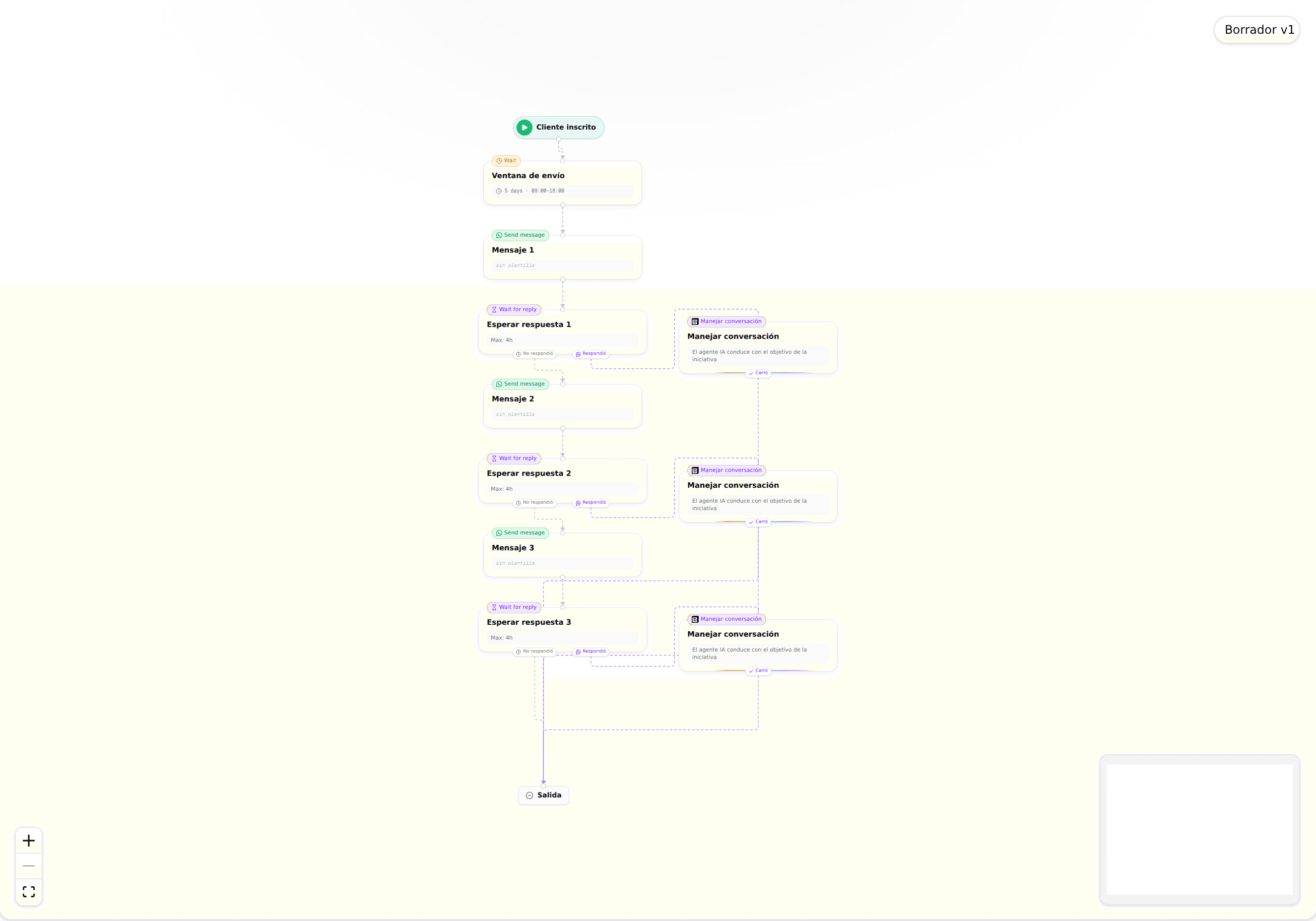
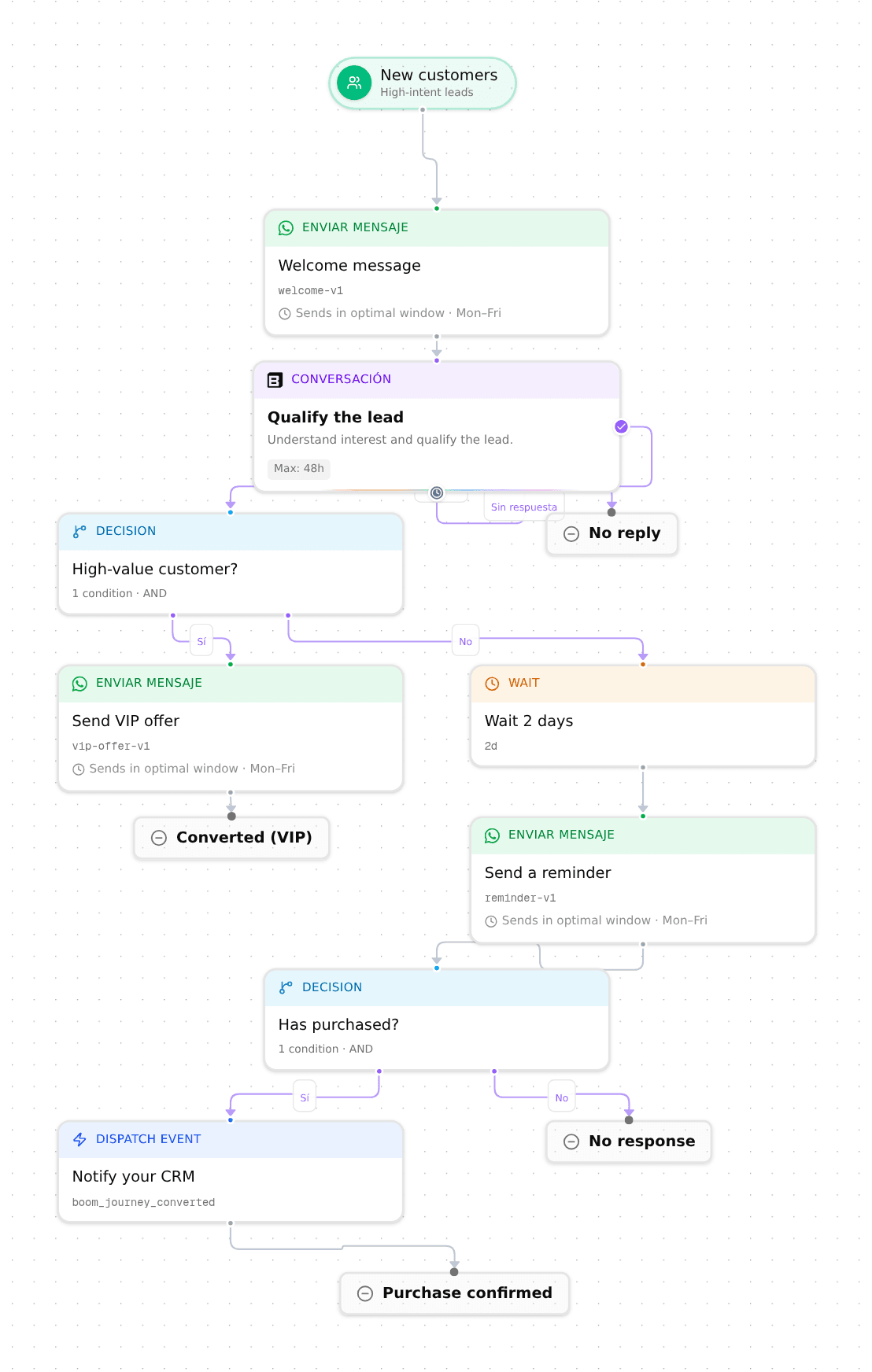
The journey builder got a visual refresh: a cleaner canvas with clearer node cards and more helpful editing affordances. Building an automated flow (enrollment, send windows, messages, wait for reply branches, and AI managed conversation steps) is now easier to read and lay out.
You can now do more than read from the public REST API and MCP server. Launch research Initiatives, create and manage Segments, and add, list, and stop Participants, including pulling a participant's full conversation transcript. Journeys are now readable through the API too. Every action runs on the same definition behind the API, the MCP tools, and the product, so your own systems and agents stay consistent with what you see in the app.
A few smaller improvements from this week:
The visual journey builder now splits waiting and talking into two dedicated blocks. Wait for reply pauses a journey until the customer responds, and Handle conversation is a first-class card your AI agent uses to hold a back and forth toward a goal. You can expand and edit a block in place and drag it to reorder, so building a multi-step flow is clearer and faster.
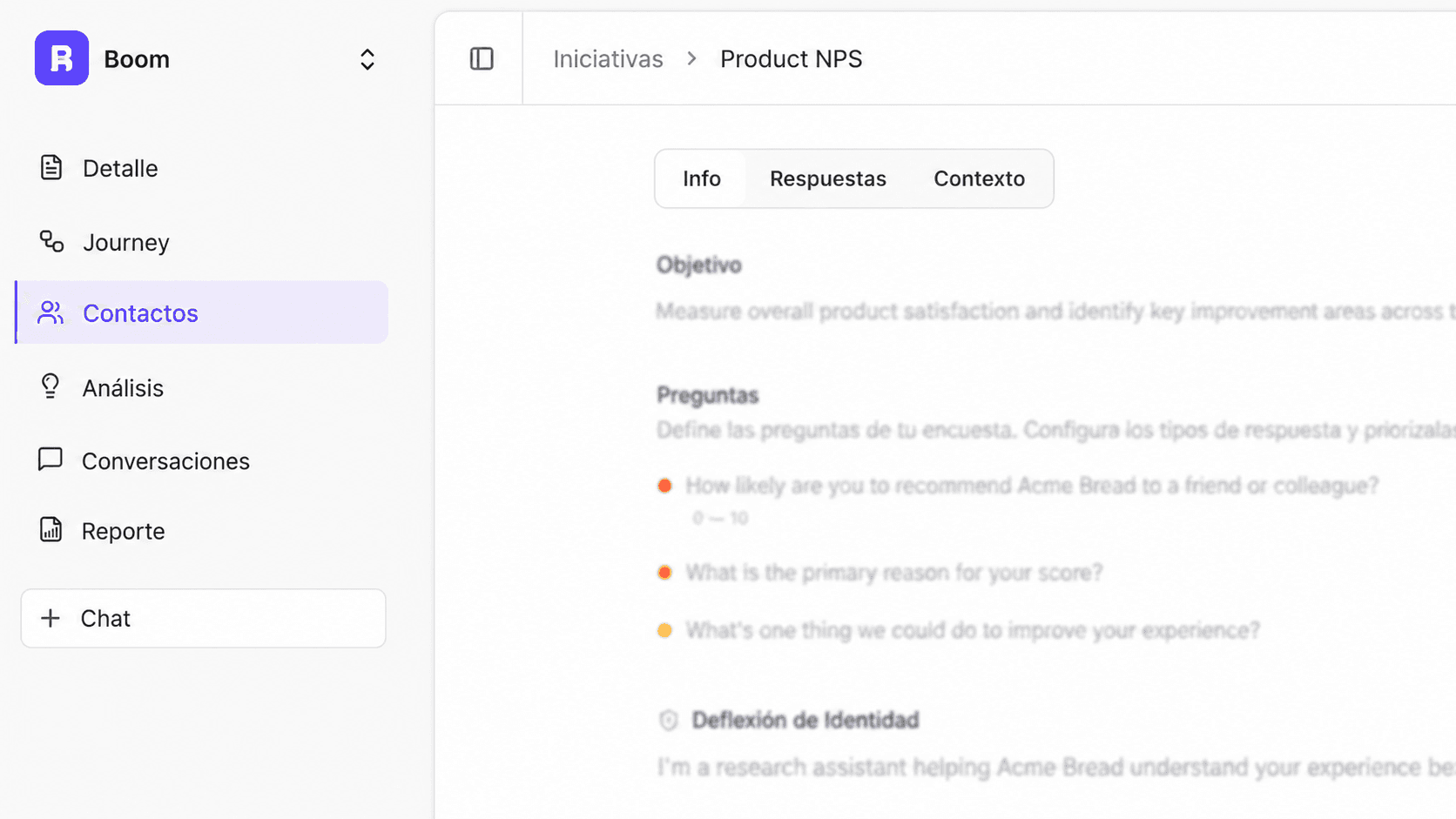
Creating an initiative is now a guided four-step wizard: set it up, configure the agent, choose what data to extract, and shape the journey. Each step keeps the choices in front of you, so you can launch a research or outreach initiative with confidence and step back to adjust anything before you go live.
A few smaller improvements from the last couple of days.
The journey builder now uses clearer building blocks so it is easier to see what each step does. The old Conversation step becomes Wait for reply, a new Handle conversation block lets you choose whether AI or a human takes over, and the confusing send-immediately toggle is replaced by an explicit send-window step. Building an outbound journey now reads the way it runs.
The Metrics dashboard has a refreshed layout with a new funnel overview, softer sentiment colors, and clearer labels, so your results are easier to read at a glance. Response rate and the conversation funnel now count real inbound replies, so the numbers reflect what actually happened.
The metrics view got a rework that makes results easier to read at a glance. A new funnel shows how contacts move through each stage, the response rate and funnel are now based on real inbound messages, and the layout, colors, and labels are cleaner so you can spot what is working faster.
A few smaller improvements from today.
You can now maintain a Do Not Contact list per organization from the new dashboard under People, so opted-out contacts are never messaged again by mistake. A contact is added automatically when they reply STOP, use the one-click unsubscribe link in an email, or is added manually, and every outreach campaign, journey message, and automated follow-up checks the list before sending. A team member can still send a message by hand when it is truly needed, with a clear warning and a permanent audit log, and the dashboard now supports search and pagination to keep long lists easy to manage.
A few smaller improvements from today.

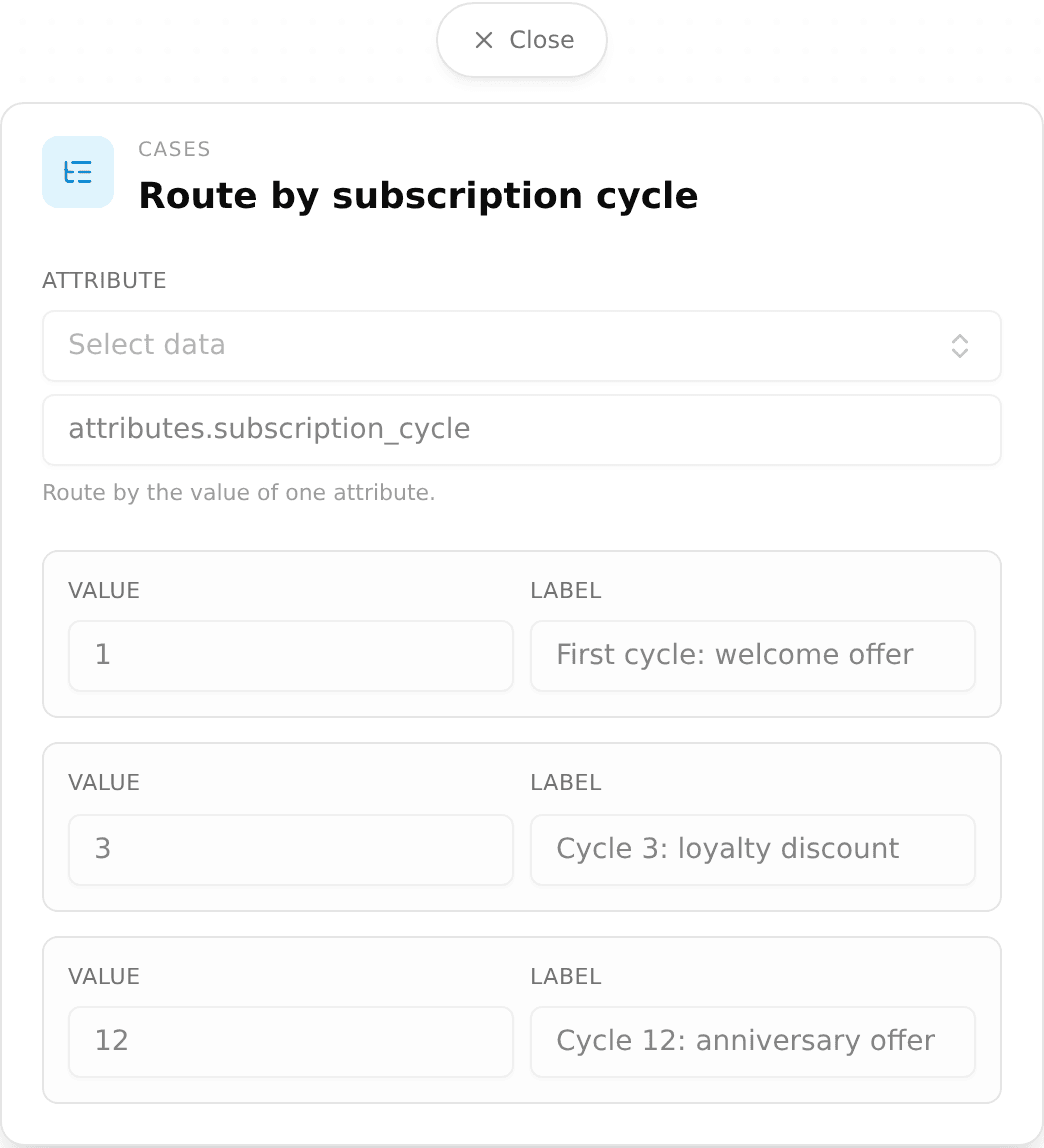
You can now add a Case node in the journey builder to route people down many paths based on a single attribute value, instead of chaining several decision steps. Each branch has its own outcome and there is a required default, so everyone lands somewhere and no one silently falls through.
You can now configure your agent per channel from a new settings screen: pick a default agent, toggle AI on or off, and set the namespace for each channel independently, with a fallback to your organization defaults. WhatsApp and web chat can behave differently without extra setup.
The public REST API and MCP server can now create and manage your research Initiatives, not just read them: create a draft, update it, cancel or archive it, and link a WhatsApp outreach template to an initiative. You can also create, list, and check the approval status of WhatsApp templates, so you can run campaigns end to end from your own systems.
The in-app assistant can now draft a complete email template from a simple chat prompt, filling in the copy and the right customer variables for you. Describe the email you want and start from a working draft instead of a blank canvas.
A few smaller improvements from today.

You can now author on-brand email templates in a rich editor: write your copy, drop in customer variables from a slash menu, and start from a gallery of ready-made templates (welcome, onboarding, reactivation, and more). Send a test to yourself, then send for real from your own verified domain, so email becomes a fully operated channel alongside WhatsApp.
In the visual Journey Builder, WhatsApp message steps can now pull fields from your custom events as variables. When a journey is triggered by an event, pick its properties (like plan_tier or order_total) from a dropdown and drop them straight into your message, so each send is personalized with the data that started the flow.
The public REST API and MCP server now read your research Initiatives and the data they collect: list and get initiatives, participants, and their extracted variables, plus a per-initiative summary of engagement and results. Personal and internal fields stay hidden, so your own systems and agents can pull insights safely.
A few smaller improvements from this week.
@ mention, and they render as inline chips so it's clear which files the agent is using.A few smaller improvements from this week.
You can now enroll people into a journey by picking them manually from your CDP or by taking a snapshot of an entire segment, with no CSV upload required. Each source can be added as pending or start the journey right away.

Journeys are now available to every organization, no longer behind a preview flag. Build automated, multi-step flows over WhatsApp in the visual builder: branch on customer data with decision nodes, wait, send messages, run a conversation, and dispatch events, with each path ending in its own outcome. Access is role-based: admins have full control, and other roles get read-only access.
Message templates that attach a PDF now show the first page of the document in the WhatsApp media preview, instead of a generic file icon. You can confirm you attached the right document before sending.
A new public REST API lets you create and preview segments and read your CDP catalog (relationships, custom object types, and relationship types) from your own systems. The same data is available through an MCP server, so your own agents can query Boom directly.
A handful of smaller improvements across segments, journeys, and templates:
When you create an initiative, Boom now builds the first draft of its journey and outreach messages automatically in the background, including a message for each follow-up round, reusing your approved templates when they fit. Starting a new campaign goes from a blank canvas to a ready-to-review draft.
You can now set how far the agent digs in on each guiding question, from no follow-up to a deep, multi-turn probe. Use lighter follow-ups for quick survey-style questions and deeper ones where you want richer, more detailed answers. This gives you finer control over the length and depth of every interview.

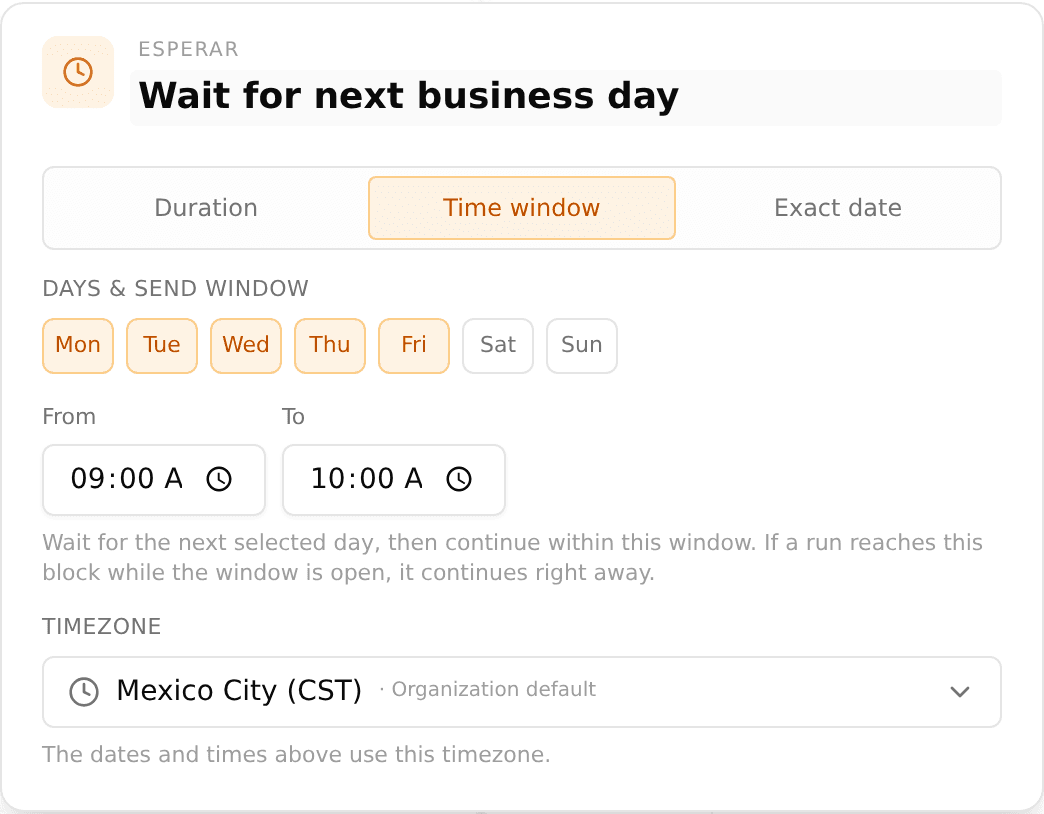
The Wait step in journeys can now hold a contact until a specific date and time, or until the next weekday you choose (for example, the next Monday at 9 AM) in your organization timezone. Before, a wait could only pause for a relative amount of time. Now you can align messages with launches, deadlines, or business hours.
A few smaller upgrades:
You can now build a segment from a library of common templates (for Shopify, Skio, and connected databases) instead of starting from a blank filter. Pick a template, adjust it, and your audience is ready. Segments are also now reachable over the public API.
Creating an initiative is now just an objective and a bit of context, and you are done. The long multi-field setup form is gone, so you can launch a research or outreach initiative in a fraction of the time.
A handful of smaller fixes across the inbox and engagement views:
The Shared Inbox is now on for every team on your plan, with no setup required. Anyone with inbox access can see and reply to conversations across WhatsApp and your other channels from one place.
WhatsApp template buttons can now carry personalized link variables, so each recipient gets their own URL (a unique reward link, a tailored checkout) resolved at send time. Template header images are also saved now, so they appear in the shared inbox instead of showing as text only.

The inbox got a round of polish: resolved conversations now look visually distinct, the All view shows only open conversations with a count badge, actions update the list instantly, and the context panel surfaces a contact's channel and identity even when there is no match in your data yet.
Journey messages can now pull in variables from your data and from the events that triggered them, so each customer gets a message written for their context. Picking the event that starts a journey is clearer too, with a branded event picker.

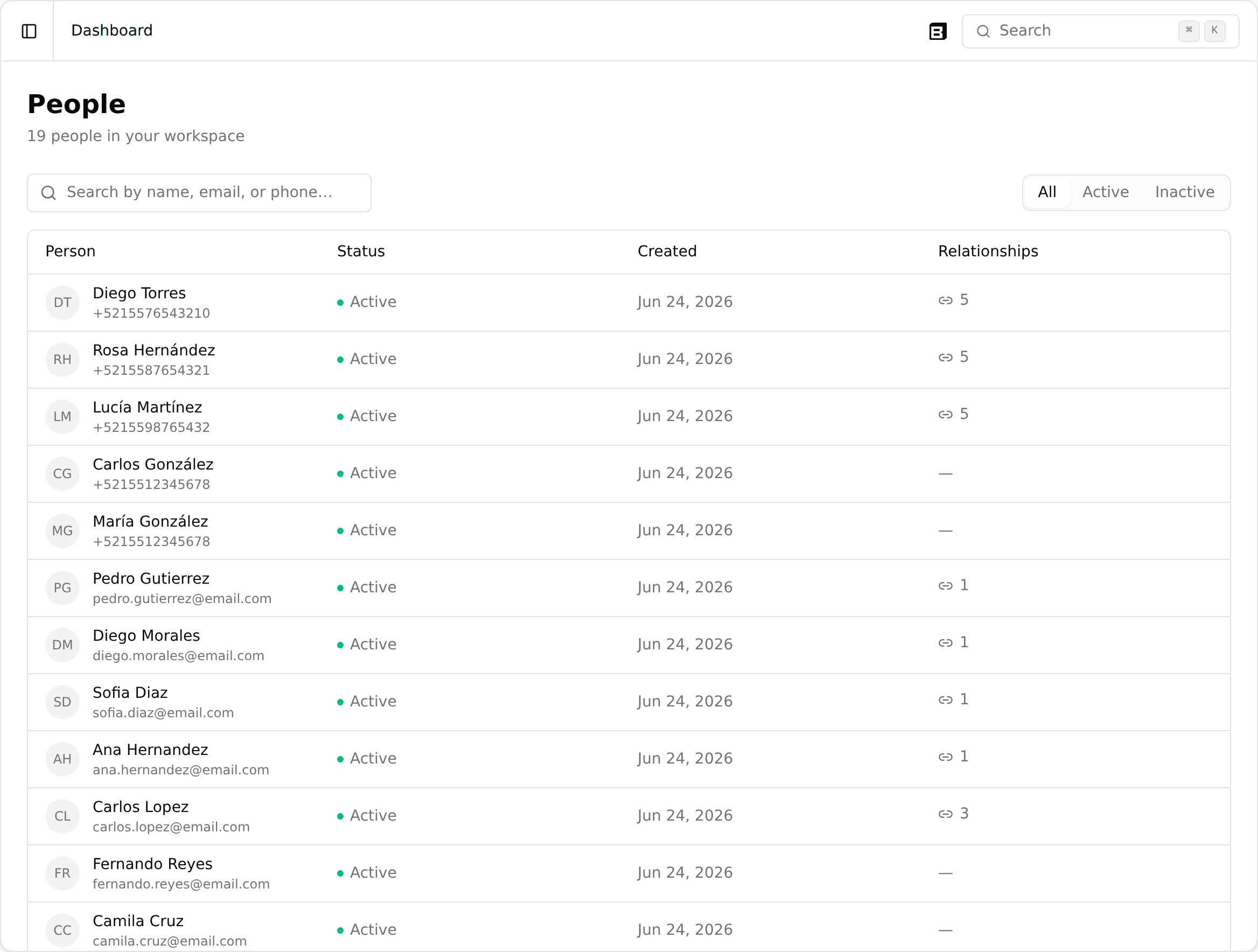
A new People directory lets you browse everyone in your customer base in one paginated table, then open any profile to see their attributes, events, and conversations across tabs. Find the right person and understand them at a glance.
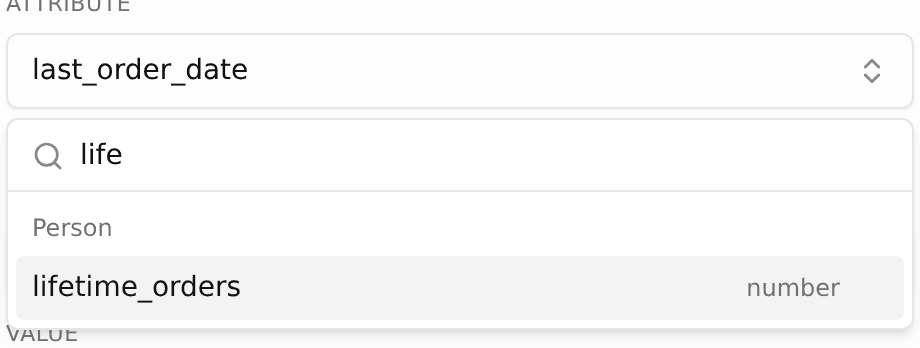
Segments can now use computed attributes like number of orders or total spent, calculated for you from each person's history, plus match on list and tag values. Build audiences around behavior, not just static fields.

You can now connect your Skio subscriptions to Boom from the Integrations page, using a self-serve API key. Bring your subscription data in so your segments and journeys can act on it.
Journeys got three new controls: a frequency cap so a customer never gets too many messages, a node that fires an event into the CDP as the journey runs, and the ability to remove a customer from a journey the moment a chosen event happens.
Boom now supports more than one WhatsApp business account at once. Choose which number sends each step of a journey, and templates stay scoped to the account they belong to across journeys and the inbox, so the right sender and the right templates always line up.
Segments can now filter across related records and reach into nested attributes. Build a segment that follows the link from a customer to their orders, or matches on a value buried inside a JSON field, all from the same builder.
Describe the audience you want in plain language and the agent builds the segment for you, turning your request into the right conditions, including links to related records and nested fields. No manual filter setup required.

A new analytics dashboard shows how your conversations are going, with volume over time, response times, an hourly activity heatmap, and an operator leaderboard. Filter by the dimensions that matter and see where to focus.
Boom is now available end-to-end in Portuguese (pt-BR), both the operator dashboard and the agent itself. Set Portuguese as your workspace's default language and run conversations natively in Brazil.
The shared inbox got a rework. Every conversation row now shows which channel and number it came from, a new filter bar lets you slice by channel, and search was rebuilt to scan across all sessions of a conversation, returning results in milliseconds instead of seconds.

You can now configure exactly what your operators see next to each conversation: customer attributes, related records like orders or loans, and deep links into your own systems. Set it up once and every agent gets the context they need to resolve faster.

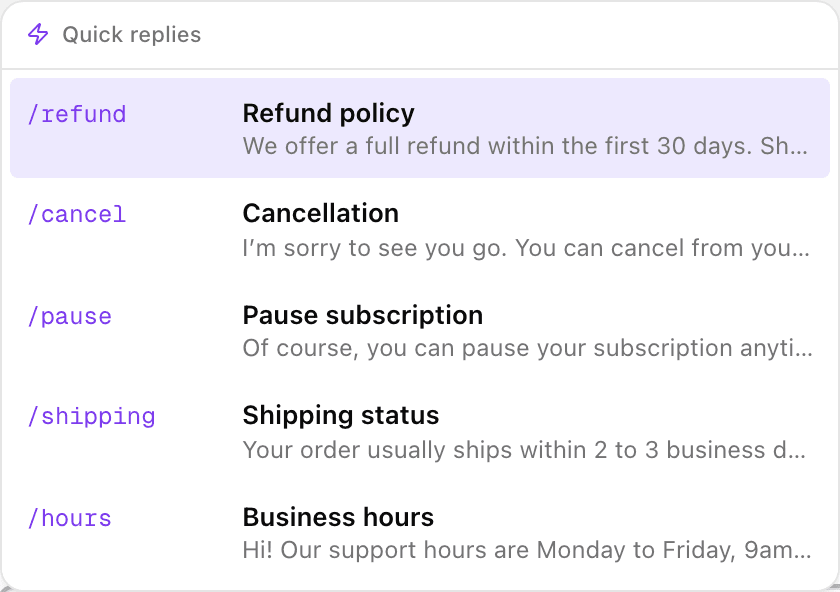
Save your team's most common responses and drop them into any conversation with a / shortcut or a button. Edit before sending, and search across all of them. Quick replies are separate from WhatsApp templates, so they're yours to manage.
The new segments builder lets you combine conditions with AND/OR in a simple three-step flow. Schedule a segment to refresh daily at the hour you choose, and export the full membership to CSV.

Boom can now read your customer data straight from your own database, with no CSVs and no middle layer. Model real-world relationships like one buyer across many merchants, push behavioral events such as a completed payment, and segment on what your customers actually do. A documented public API keeps everything in sync with your systems.
A journey can now enroll a customer the instant something happens, like a completed order or a churn-risk signal, straight from a CDP event. There's no CSV and no waiting for the next segment refresh. The right message goes out in the moment.
You can now chat with your agent right inside the initiative. It's a live test that runs the real pipeline and streams responses as they generate, so you can try multi-turn flows and edge cases before any customer sees them.
Connect your Shopify store in a few clicks and Boom keeps customers, orders, and your full product catalog continuously in sync. The agent can reference real products in the conversation, with their images and descriptions.
Leave internal notes in a conversation thread to pass context to a teammate, drop a reminder, or note a handoff detail. Notes stay private to your team and never reach the customer.
Upload your documents, like product sheets, policies, and FAQs, and the agent searches them to answer customer questions. It pulls the right passage from the right file, so replies stay grounded in your own content.
Boom now runs on WhatsApp, Instagram, Facebook, web chat, and email (beta), with support for multiple WhatsApp numbers per workspace. Every channel lands in one shared inbox, and the agent answers with the same customer context no matter where the conversation starts.
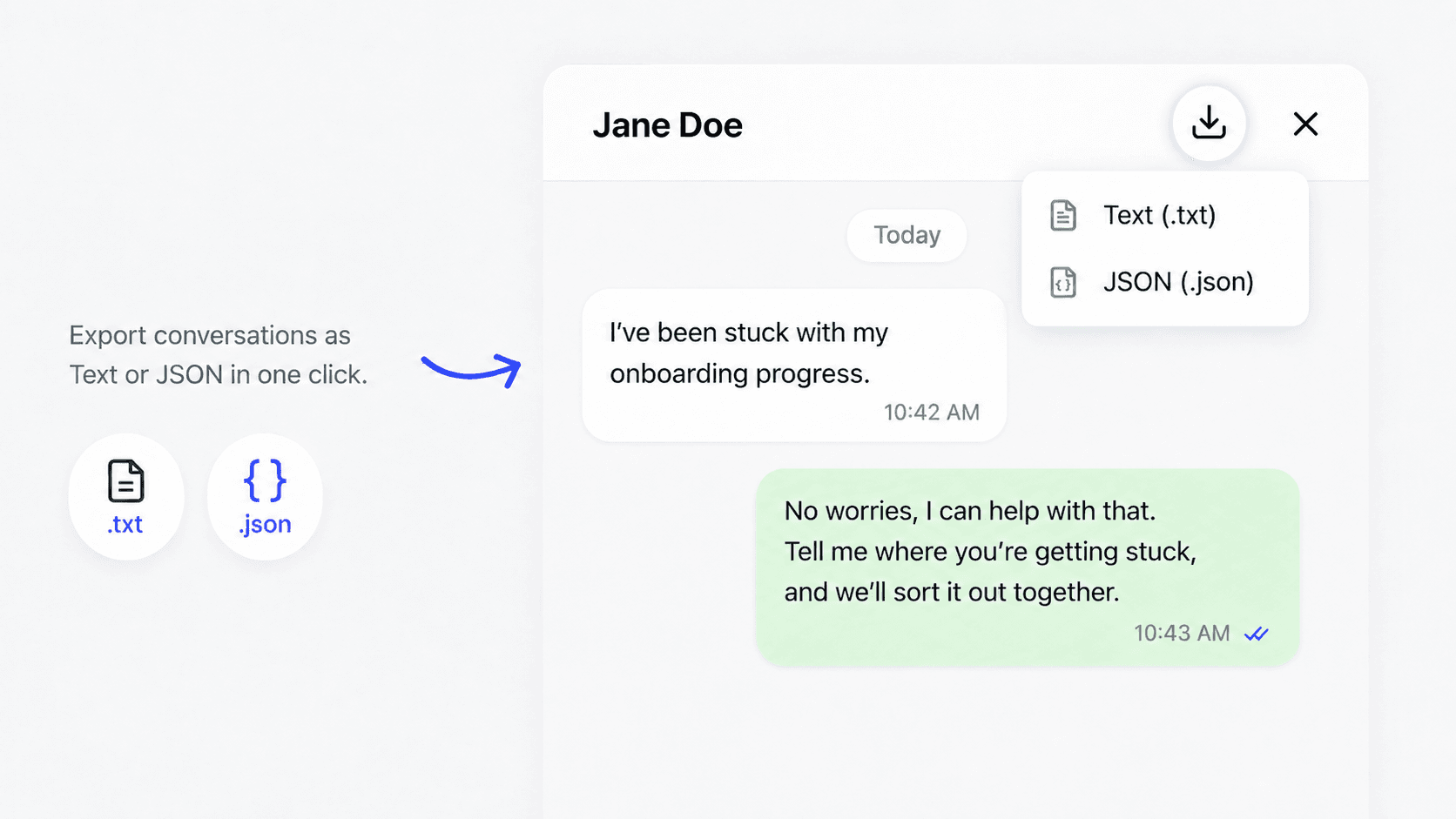
Beyond downloading a single conversation, you can now export the transcripts of many conversations at once, as a single consolidated .txt you can hand off or analyze in bulk.
Your agent can now send images, PDFs, and video in WhatsApp conversations, not only text. It shares receipts, product sheets, or onboarding docs right inside the chat, picking the right file for the moment.

Contacts is now a dedicated section in the initiative sidebar, easier to reach, with a unified view of engagement status, filters, and bulk actions to start journeys.

You can now download the full transcript of any conversation, as plain text (.txt) for quick sharing, or as JSON (.json) to feed into your own analysis.
We deployed a new version of Boom Voice. It sounds dramatically more natural, perfect for Research campaigns running over voice.
You can now run Boom Surveys: shorter, focused conversations to ask your customers a specific question and get fast answers.
Use Surveys when a full Research interview is more than the moment calls for: a quick pulse after a release, a single follow-up question, or a targeted check-in with a segment.

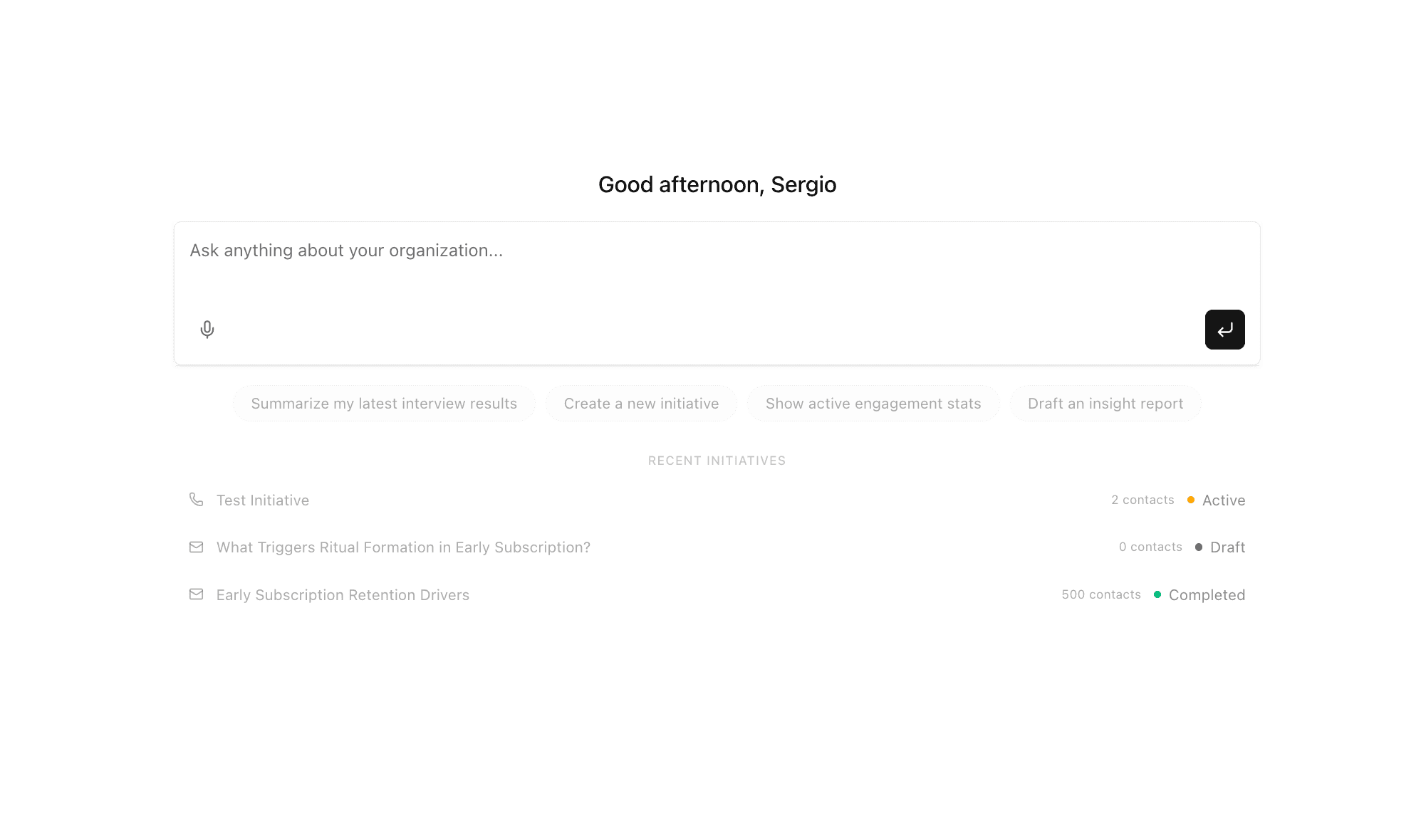
We built an agent at Boom that controls the entire platform.
It can create research initiatives. Change settings. Add context about your company. All through a conversation.

Define your research objective. Add the guiding questions you want answered. Boom does the rest.
Boom Research runs personalized, context-aware customer interviews at scale over WhatsApp, email, and voice, turning what used to take weeks of recruiting and scheduling into a 2-day workflow. Each conversation feels human, follows the thread your customer opens up, and stays focused on the questions that matter to you.
When the conversations are done, Boom synthesizes every transcript into an actionable insight report, so you go from "let's talk to users" to "here's what we learned" in days, not quarters.